For editors and assistant editors

Stop scrubbing takes.
Stack them.

TakeStack builds your first assembly from multi-take dialogue, automatically: every take of every line, matched to the script and cut in order, ready for Premiere or Resolve.

It runs on your Mac, transcribes locally, and your footage never uploads anywhere.

Runs on your machine. Your footage never leaves.

The slow part of the edit

selects, per dialogue scene 04:00:00 hrs : min : sec

Pulling selects and comparing takes eats hours of every scene.

You scrub through every take, jot timecodes, and rebuild a compare timeline by hand. On a dialogue scene that is a full afternoon gone before you make a single creative decision. TakeStack hands the afternoon back.

How it works

Watch a scene assemble itself, beat by beat.

scroll ↓

01

Drop in every take of the scene

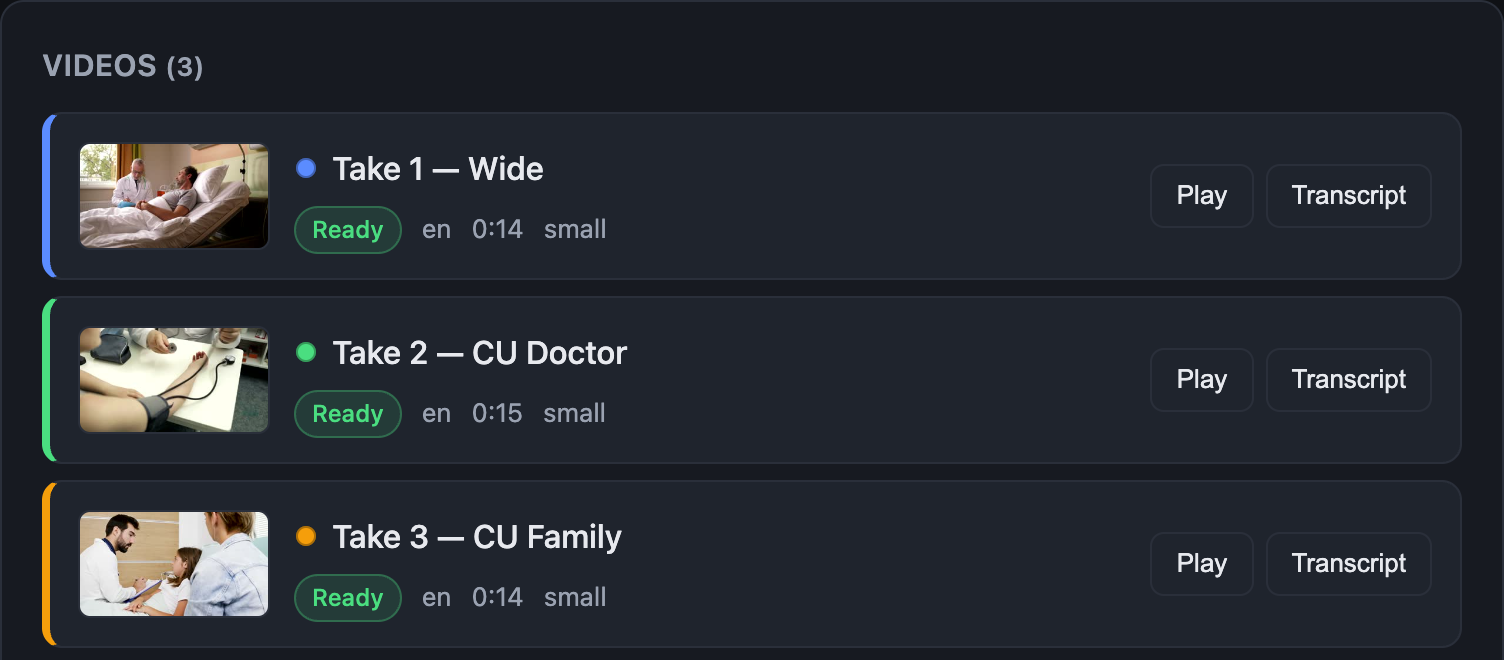
All the takes, all the angles, plus the script if you have one. TakeStack transcribes everything on your Mac with word-level timing. Nothing uploads, ever.
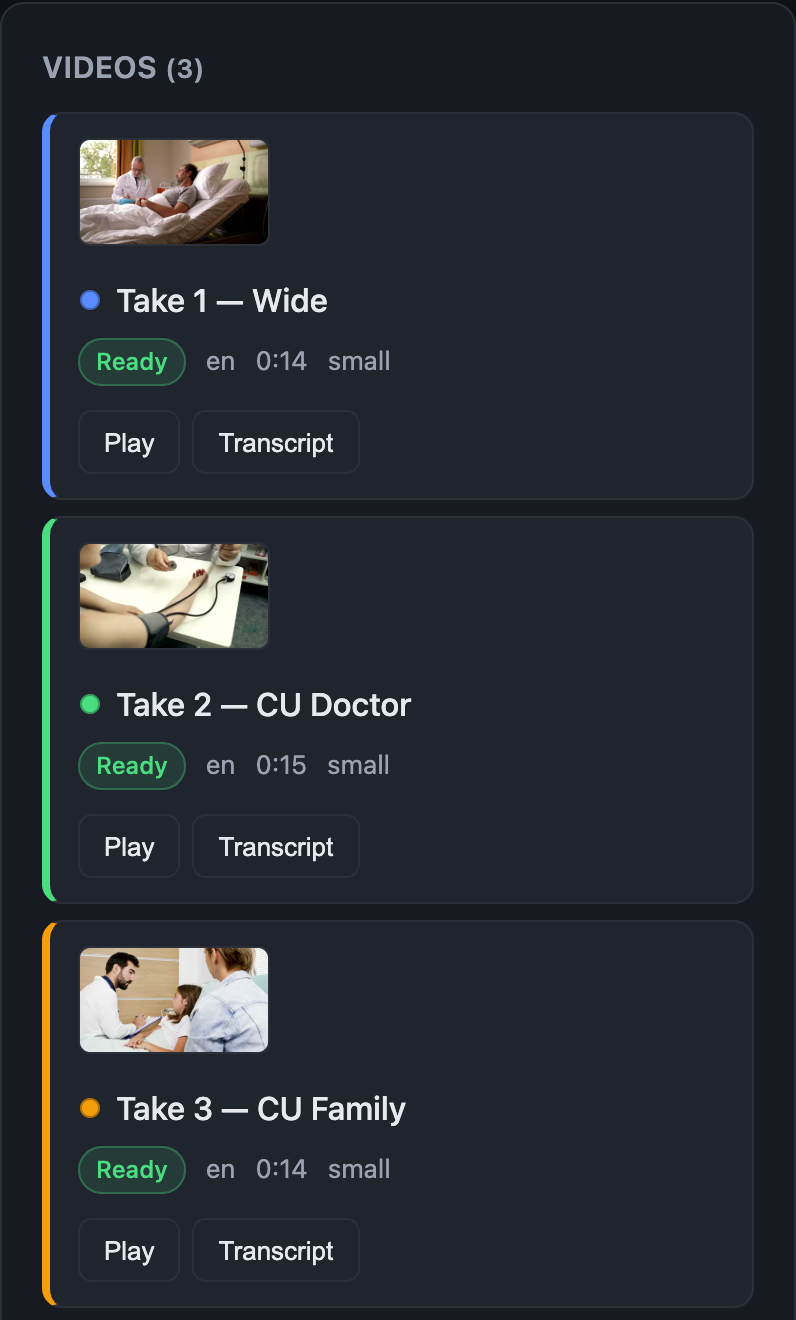
Three takes loaded and transcribed in TakeStack
02

The assembly builds itself

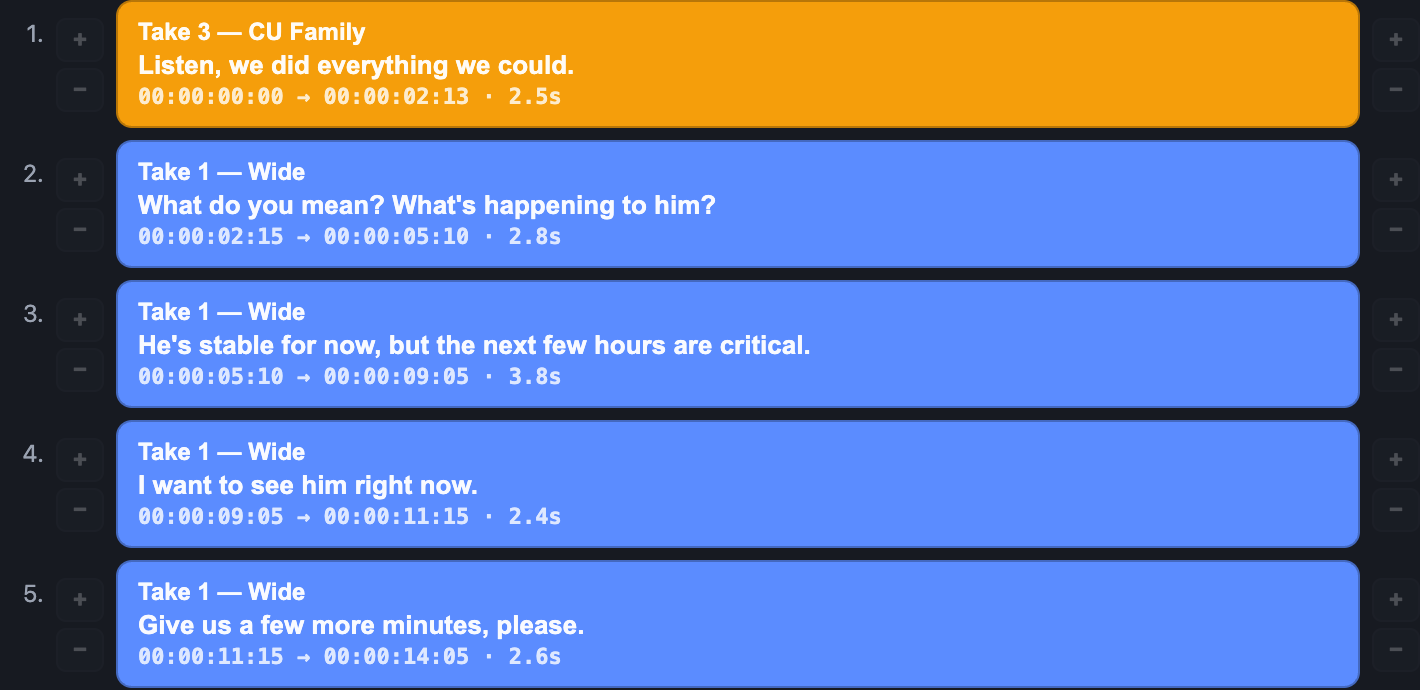
Every line of the script is found across your footage and the best take is laid in, line after line: a first cut in script order. Nudge any in or out by the frame and hear the new cut instantly.
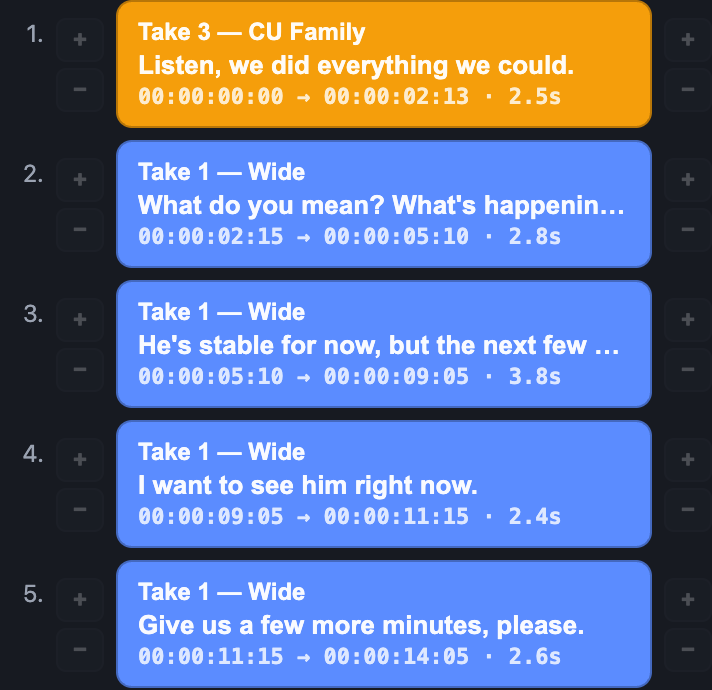
The assembly timeline built line by line from the script
03

Every alternate, one click away

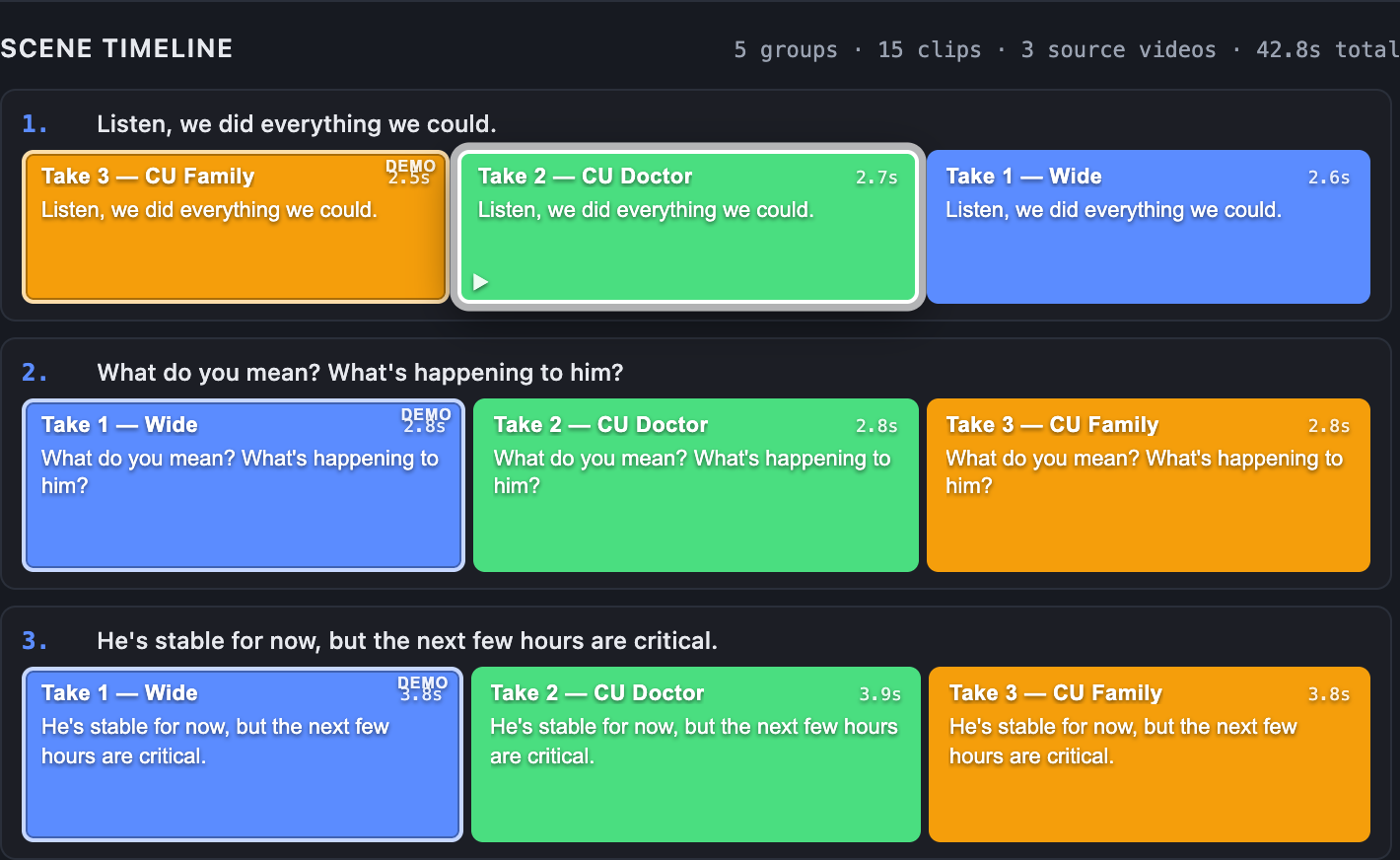
Expand the cut and each line shows your pick next to the same line from every other take: color-coded, aligned, playable. Like a different read better? One click makes it the pick.
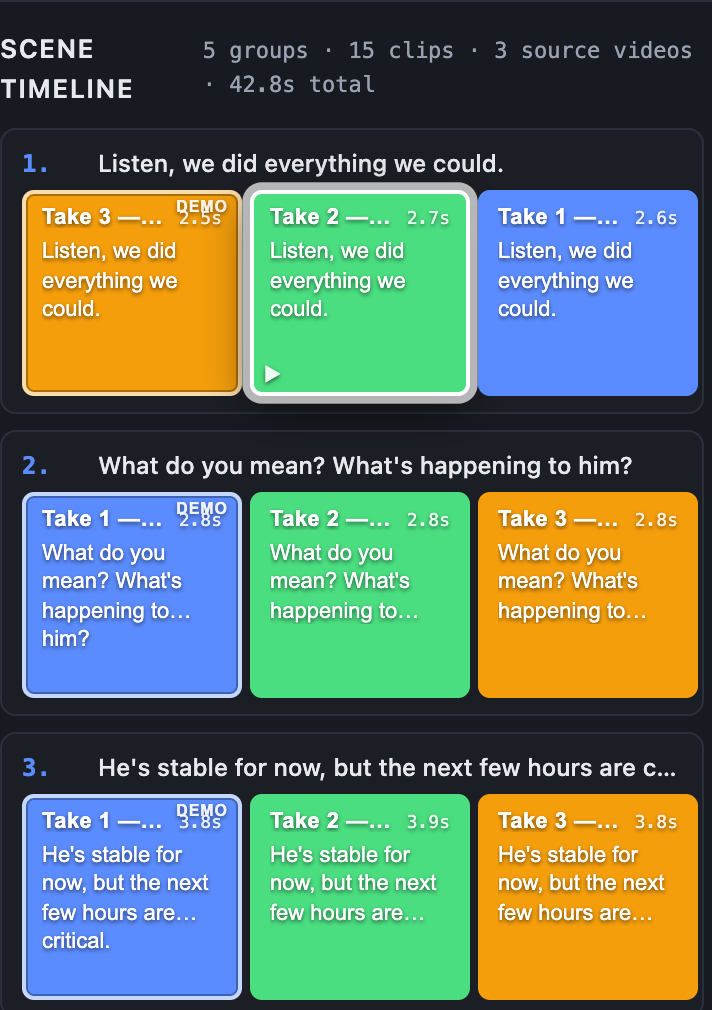
Scene timeline with picks and stacked alternate takes
04

It lands in your timeline

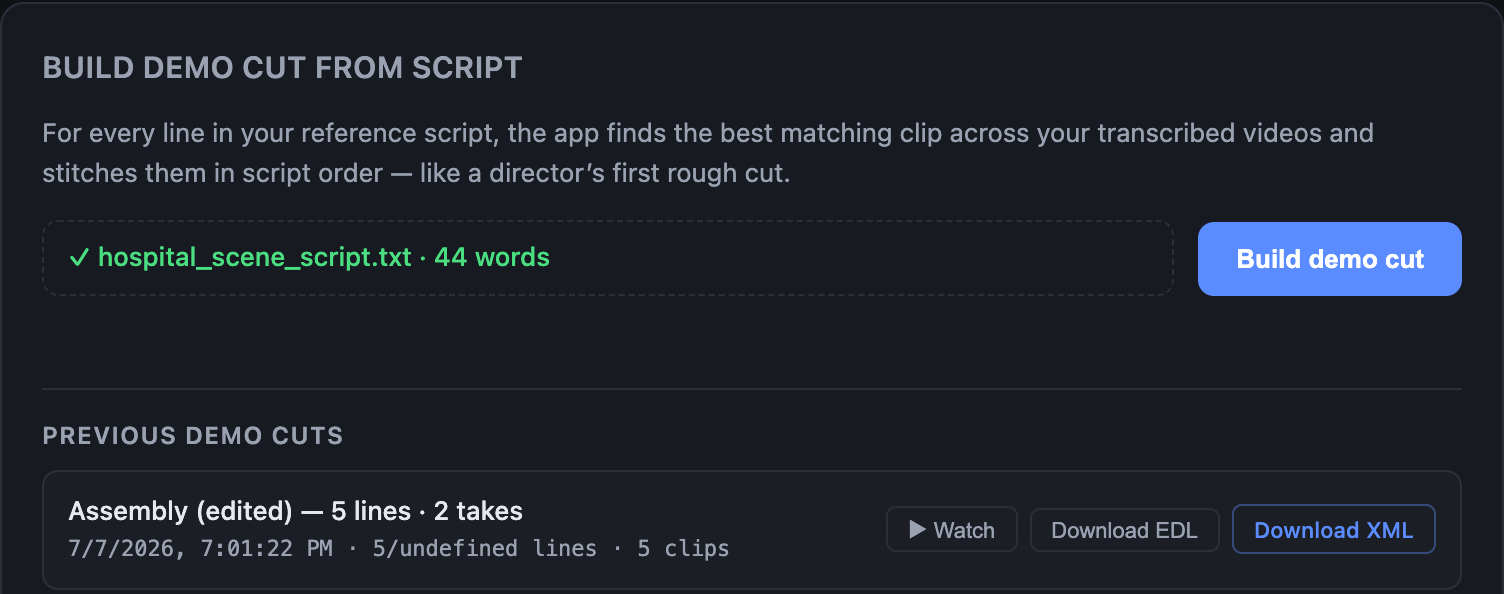
Export XML for Premiere or Resolve. It links your original camera files with real source timecode, so the cut opens against your media, like an assistant prepped it overnight.
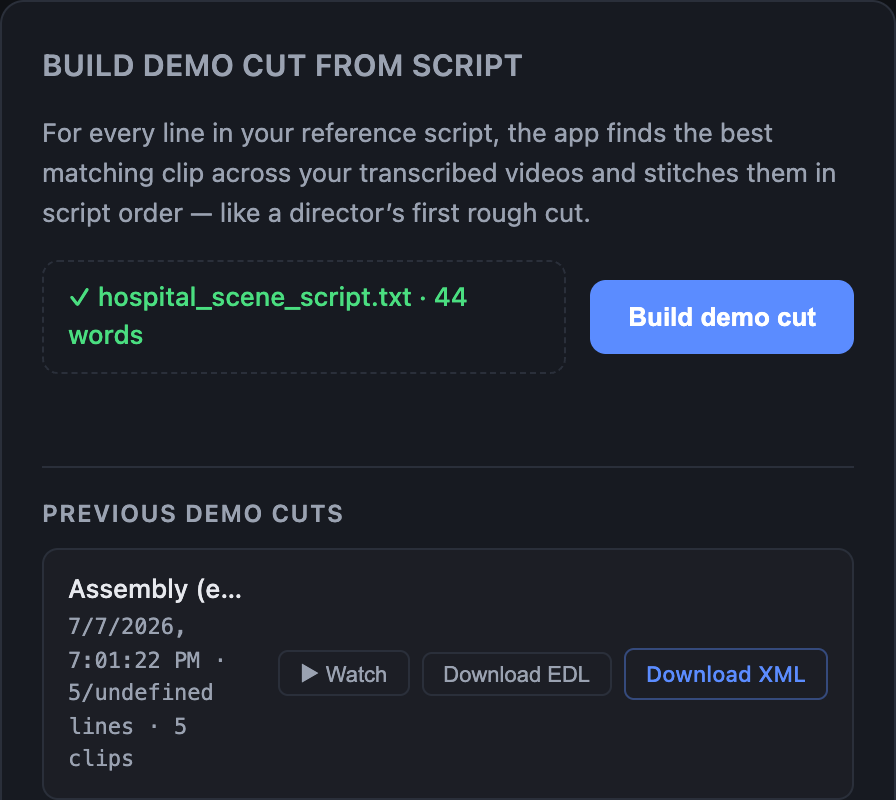
Demo cuts with EDL and XML export buttons

The full tour

Watch the demo. Unedited.

PGM — TakeStack demo 00:02:09:00

Real footage, real transcripts, real exports — recorded on the actual app, unedited.

The part nobody else nails

Every alternate, stacked and aligned.

  • Hero take on V1. Your pick plays by default, picture and sound.
  • Alternates stacked above. Each take on its own track, lined up to the same frame, muted until you want it.
  • A/B in one click. Toggle a track to audition a different take in sync. No scrubbing, no timecode notes.
  • Promote any alternate. Like a different take better? One click makes it the pick and rebuilds the cut.
  • Conforms to your originals. Exports link your camera files by name with real source timecode — not copies.
  • Lands in your tool. Standard FCP7 XML that Premiere and Resolve both import.

Footage never leaves your machine

Everything runs locally. No uploads, no cloud, no exposure of unreleased material. The way post is supposed to work.

Built to drop into your edit

Works with the tools you already use. Export and import. You stay in Premiere or Resolve.

Made for dialogue and interviews

Multiple takes, multiple angles, long interview soundbites. Anywhere you hunt for the best version of a line.

PROD. TAKESTACK SCENE 01 TAKE 01

Get early access.

TakeStack is in early development. Leave your email and you will be first to try it on your own footage. No spam, just the launch.

Are you an editor? Tell me what you cut and what slows you down. Reply to the confirmation and I read every one.